Installing Builder
Follow the steps below to install the Vibe Web Builder on your server.
Step 1 — Open File Manager
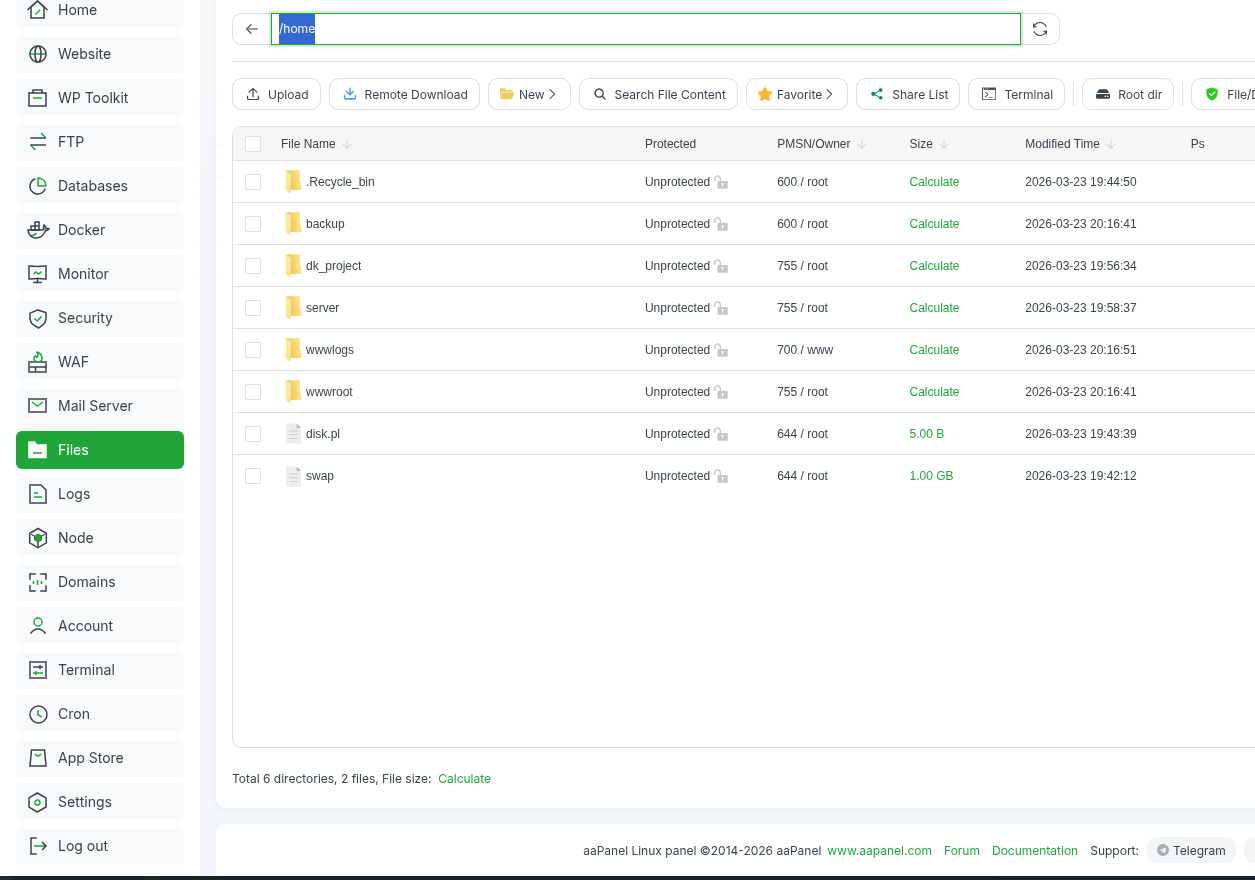
- From the aaPanel sidebar, click Files.
- In the file manager address bar, remove the existing path.
- Type:
/home
- Press Enter.
Step 2 — Create Builder Folder
- Click the New button.
- Create a new folder with the name:
vibe-web-builder
- Double-click the folder to open it.

Step 3 — Upload Builder Files
- Upload the builder.zip file into this folder.
- Right-click the uploaded file.
- Click Unzip from the menu.
Step 4 — Configure the Environment File
Inside the folder, you will see a file named:
.env
- Double-click the .env file to open it.
- Update the environment variables according to your server configuration.
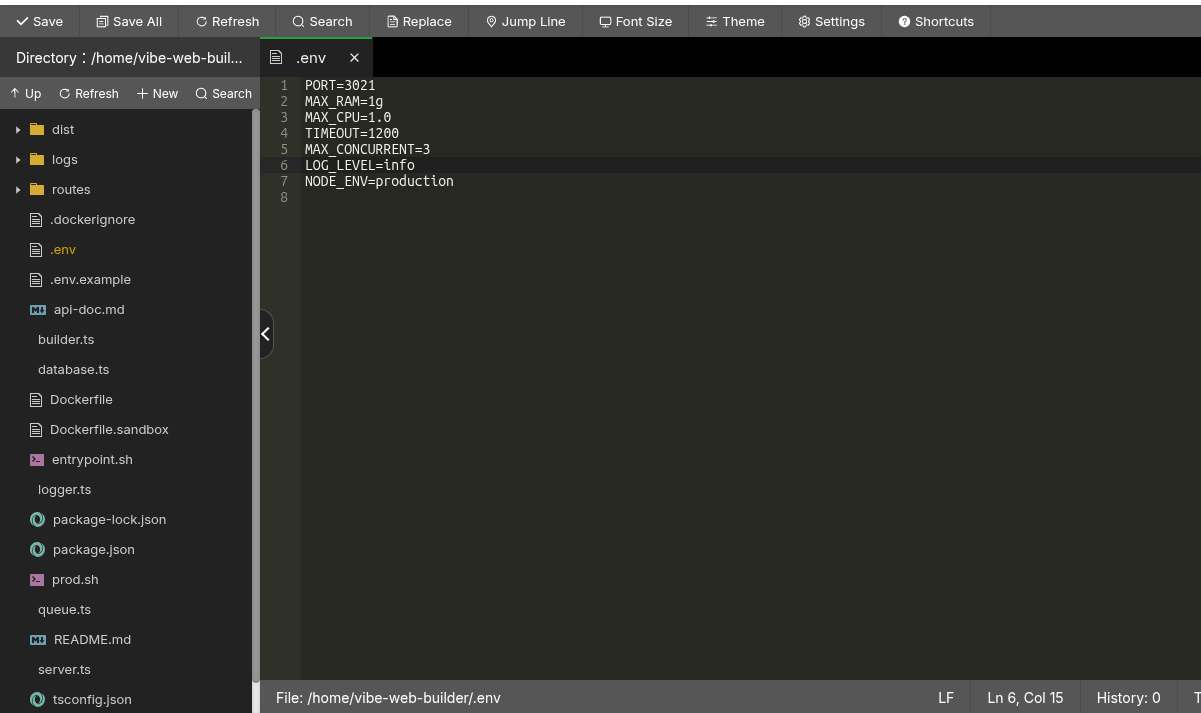
Important Settings
PORT
Keep the value unchanged.
NODE_ENV
Keep the value unchanged.
MAX_RAM
This defines how much RAM the sandbox environment can use when compiling user projects.
- More RAM = faster builds
- Recommended value:
4g
⚠️ Make sure this value is less than 60% of your total server memory.
Examples:
- 8GB server → use
2g - 16GB server → use
4g
For memory units:
2g = 2GB
768m = 768MB
Lower RAM will result in slower builds.
MAX_CPU
This defines how many CPU cores the builder can use.
If your server has 4 or more CPU cores, it is recommended to set:
2.0
MAX_CONCURRENT
This defines the number of builds that can run simultaneously.
Examples:
- 16GB RAM + MAX_RAM = 4g → MAX_CONCURRENT = 2
- 8GB RAM + MAX_RAM = 2g → MAX_CONCURRENT = 2
- 16GB RAM + MAX_RAM = 3g → MAX_CONCURRENT = 3
If two users request builds and MAX_CONCURRENT = 1, the second build will be queued.
If your platform has fewer than 50 users, it is recommended to keep:
MAX_CONCURRENT=1
You can change this value later if needed.
Step 5 — Run Builder Setup
After saving the .env file:
- Close the code editor.
- Open Terminal from aaPanel
or connect via SSH / PuTTY.

Run the following command:
cd /home/vibe-web-builder
Then run:
bash prod.sh
The prod.sh script will automatically install and configure everything needed for the builder.
Important Note
If you ever change values in the .env file, you must run the setup script again:
bash prod.sh
This will apply the updated configuration.