Connecting domain to custom deployer
These steps are only required if you prefer using custom deployer for hosting user sites instead of netlify.
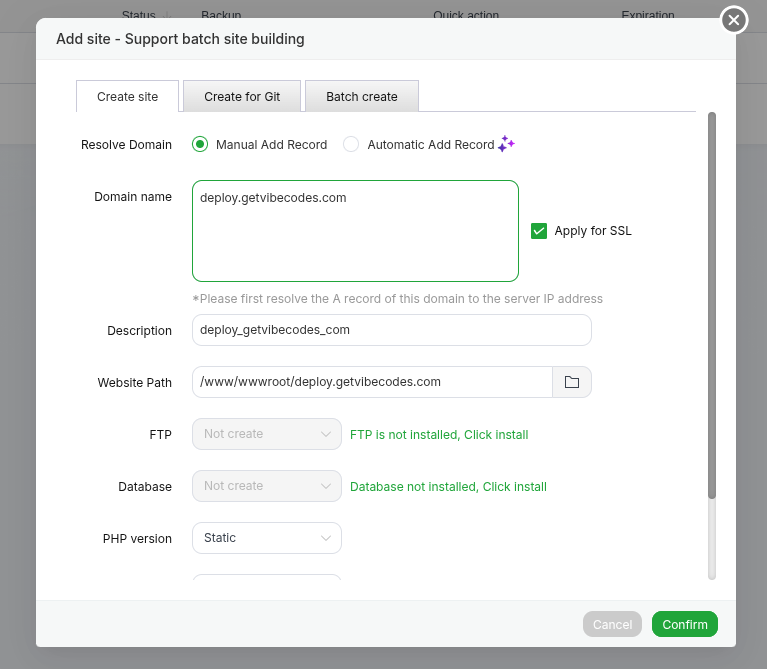
Step 1 — Add Deploy Domain
- From the aaPanel sidebar, click Website.
- Click Add Site.
- Enter your domain:
deploy.yourdomain.com
- Click Confirm.
Step 2 — Configure Reverse Proxy
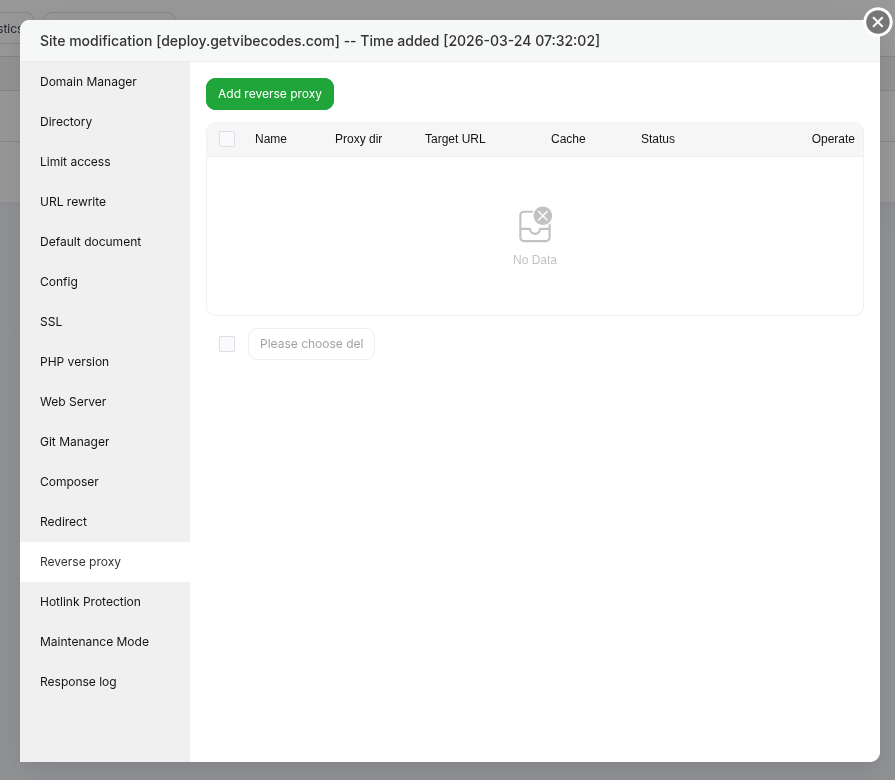
- Click Conf next to
deploy.yourdomain.com. - A settings modal will open.
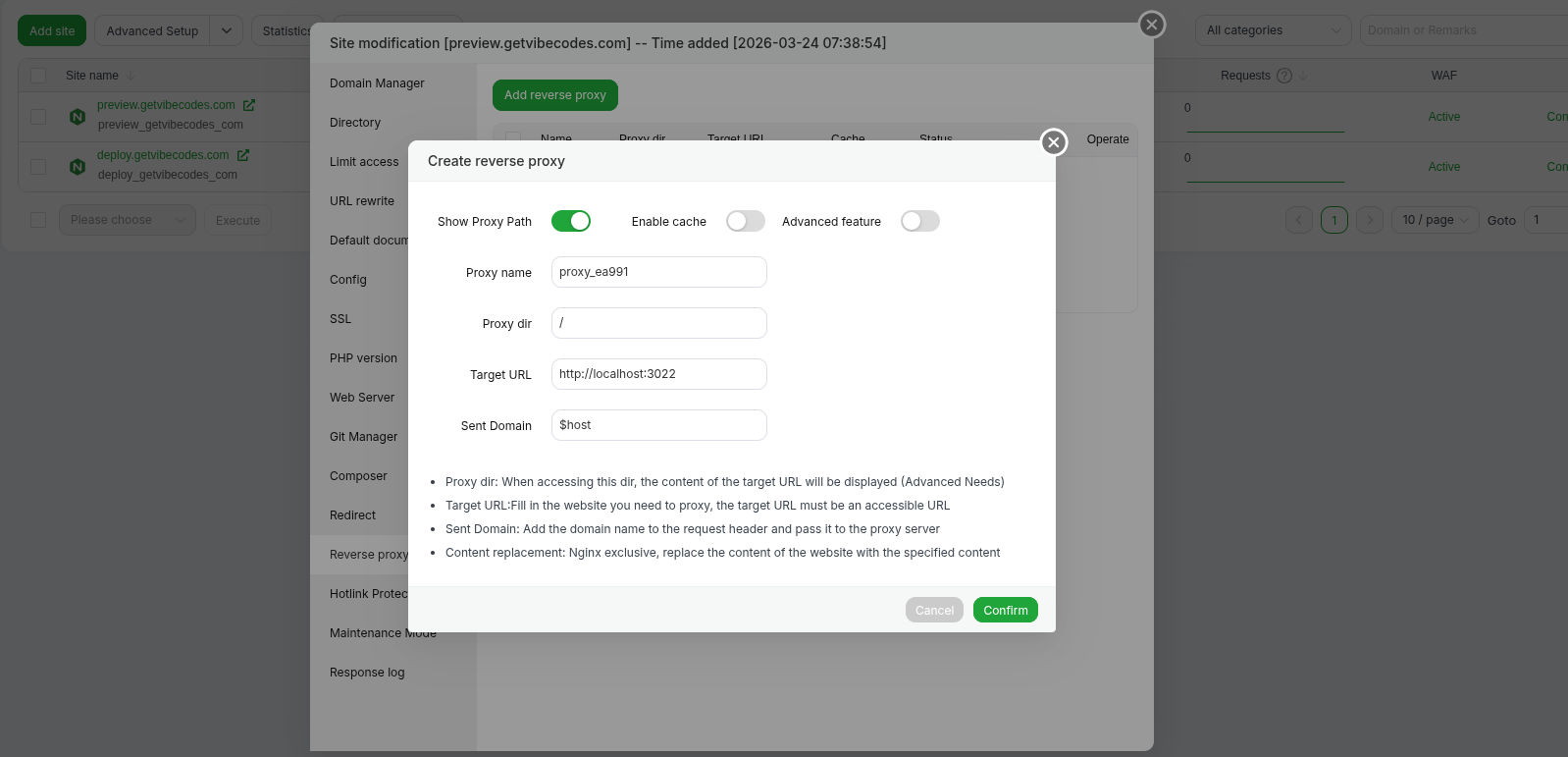
- Select Reverse Proxy.
- Click Add Reverse Proxy.
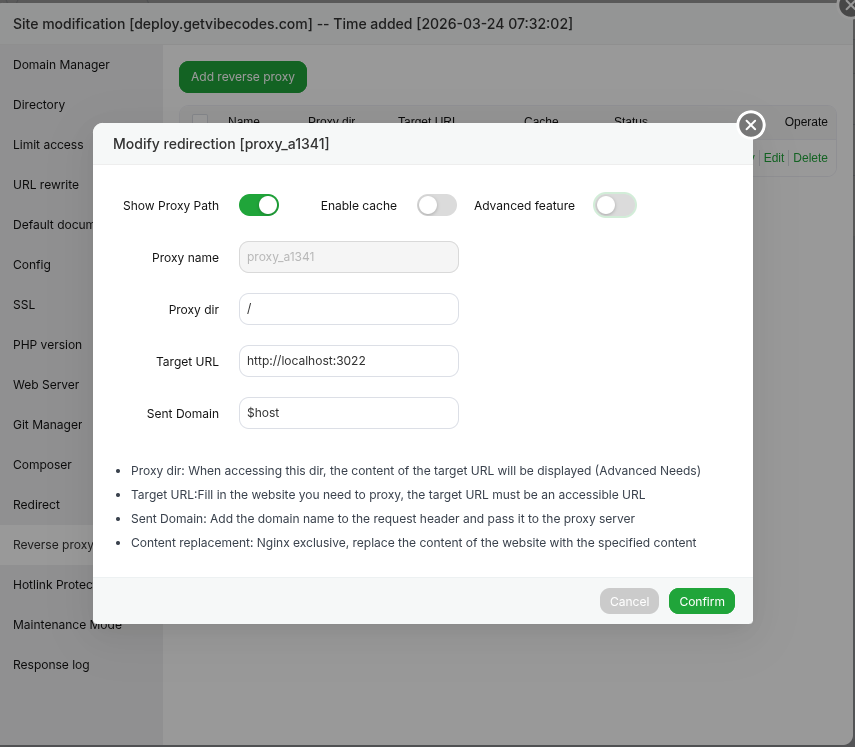
Fill the fields as follows:
Target URL
http://localhost:3022
Sent Domain
$host
⚠️ Important:
The Sent Domain field must be $host. Double-check this before saving.
Close the modal once completed.
Step 3 — Add Preview Domains
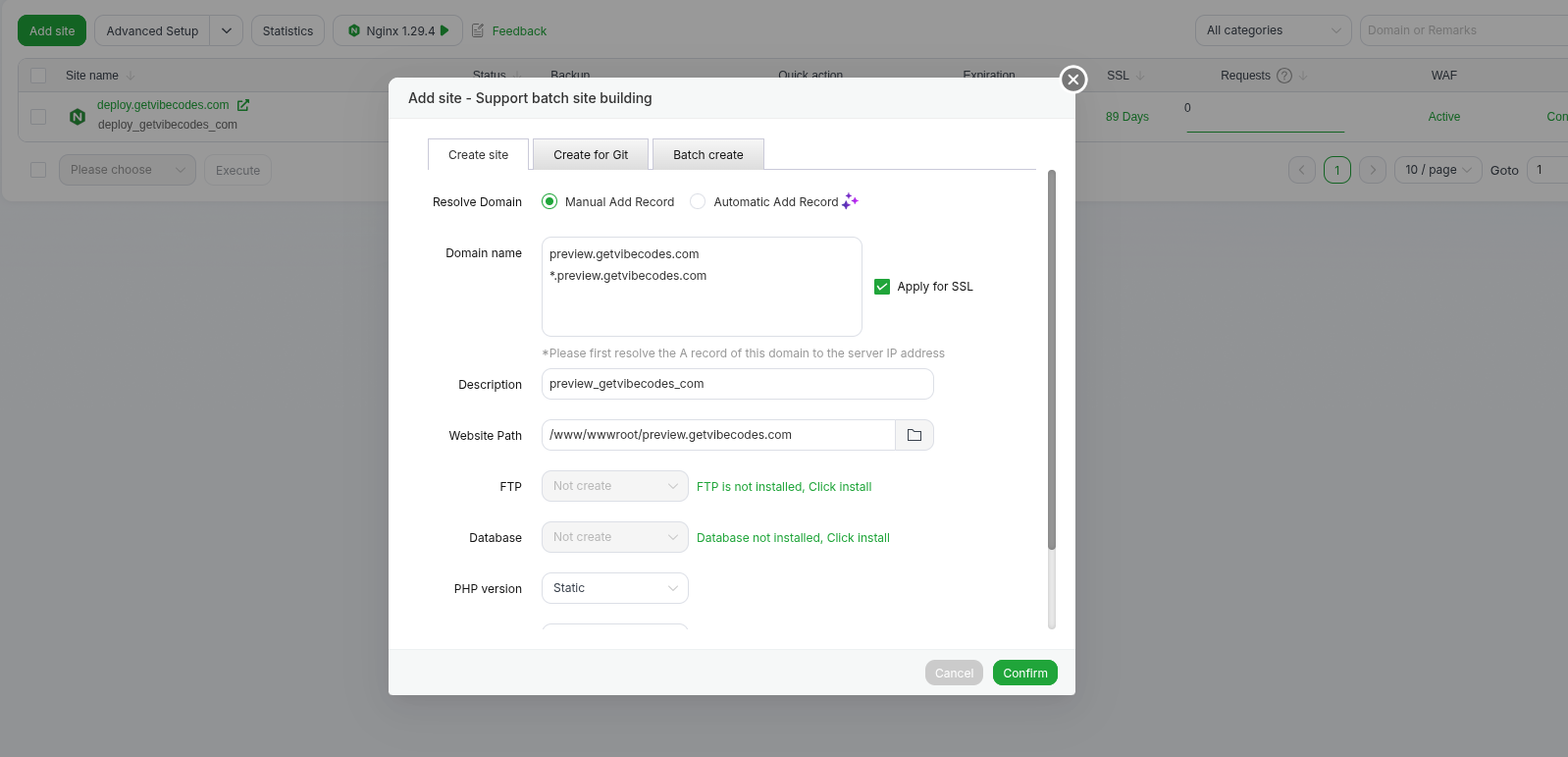
Click Add Site again and add the following two domains:
preview.yourdomain.com
*.preview.yourdomain.com
The wildcard domain:
*.preview.yourdomain.com
allows all user-created websites to connect to your server.
Click Confirm.
Step 4 — Configure Reverse Proxy for Preview Domains
- Click Conf for the newly added preview domain.
- Open the Reverse Proxy tab.
- Click Add Reverse Proxy.
Enter the following:
Target URL
http://localhost:3022
Sent Domain
$host
⚠️ Again, make sure the Sent Domain field is $host.
Step 5 — Enable SSL (Let's Encrypt)
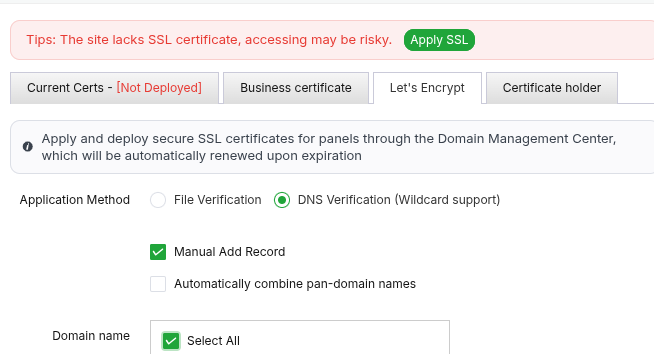
- Inside the settings modal, open the left sidebar.
- Click SSL.
- Go to the Let's Encrypt tab.
- Select:
DNS Verification
- Choose:
Manual Add Record
- Select All domains.
- Click Apply.
aaPanel will display DNS records that you must add to your domain DNS settings.
Add those records and then continue verification.
Step 6 — CAA Record (If Required)
You may see a CAA record requirement such as:
0 issue letsencrypt.org
If you need to add this record:
Flag field:
0Tag field:
issueDomain value:
letsencrypt.org
If your DNS provider does not have a Tag field, use the default option provided by your DNS provider.
Setup Complete
Once SSL verification is completed and the reverse proxy is configured, your deployment server is fully ready.
Your Vibe Web system can now build, deploy, and host user-created websites automatically.